소학회 1기를 겪으면서 가장 중요하다고 생각했던 건, 나중에 이 프로젝트를 회고할 수 있도록 뭐든 문서화시키는 거라고 생각했다.
1기 프로젝트는 중구난방으로 진행되다 보니, 뭐가 정형화된 것이 없었다. url 도 일정한 규칙없이 설정되었다.
그래서 이번엔 꼭 체계적으로 진행되어야 한다고 생각을 해서 Swagger를 사용해보려고 한다!!
Swagger란?
Swagger 는 REST API를 설계, 구축, 문서화 및 사용하는 데 도움이 되는 OpenAPI 사양을 기반으로 구축된 오픈 소스 도구 세트입니다. - https://swagger.io/docs/specification/about/
About Swagger Specification | Documentation | Swagger
What Is OpenAPI? OpenAPI Specification (formerly Swagger Specification) is an API description format for REST APIs. An OpenAPI file allows you to describe your entire API, including: Available endpoints (/users) and operations on each endpoint (GET /users,
swagger.io
Swagger에 작성되는 내용들
- 입출력 형식
- 데이터가 저장되는 db column 및 type
- response 상태 코드
Express + Swagger
프로젝트가 express로 진행되기 때문에 express와 연동해보자!
아래의 내용은 직접 Doc를 작성하였는데, 찾다보니 자동화 라이브러리가 있었다.!
이건 다음 포스팅에 작성하고, 일단 swagger 구조를 알아보자!!!
1. 현재 나의 폴더 구조
project/
├── app.js
├── route/
│ └── diary.js
├── models/
│ └── diary.js
└── swagger/
├── swagger-js
폴더 구조에 따른 디렉토리가 중요하기 때문에 경로를 잘 살펴보자!!
2. swagger 패키지 설치
npm i swagger-ui-express
npm i swagger-jsdoc
3. swagger.js
const swaggerUi = require('swagger-ui-express');
const swaggereJsdoc = require('swagger-jsdoc');

const options = {
    swaggerDefinition: {
        info: {
            title: 'Public Data API',
            version: '3.0.0',
            description: 'API',
        },
        host: 'localhost:3001',
        basePath: '/'
    },
    apis: ["./route/*.js", "./models/*.js"],
};
1. 설치한 패키지를 변수로 선언해준다.
2. 이 API의 설명을 title, description에 자유롭게 넣어준다.
3. host는 내가 서버를 구동할 포트 번호를 넣어준다.
3. apis에는 각각 db 폴더와 url이 설정된 route 폴더를 넣어준다.
4. app.js
const express = require('express');
const app = express();
const { swaggerUi, specs } = require('./swagger/swagger');


const { sequelize } = require('./models'); // db.sequelize 객체

app.set('port', process.env.PORT || 3001);


// 데이터베이스 연결
sequelize.sync({ force: false })
  .then(() => {
    console.log('데이터 베이스 연결 성공');
  })
  .catch((err) => {
    console.log(err);
  });


// swagger 라우팅
app.use('/api-docs', swaggerUi.serve, swaggerUi.setup(specs));


// 서버 시작
app.listen(app.get('port'), () => {
  console.log(app.get('port'), '번 포트에서 대기중');
});
이제 http://localhost:3001/api-docs 접속하면 아래와 같은 화면이 뜬다.
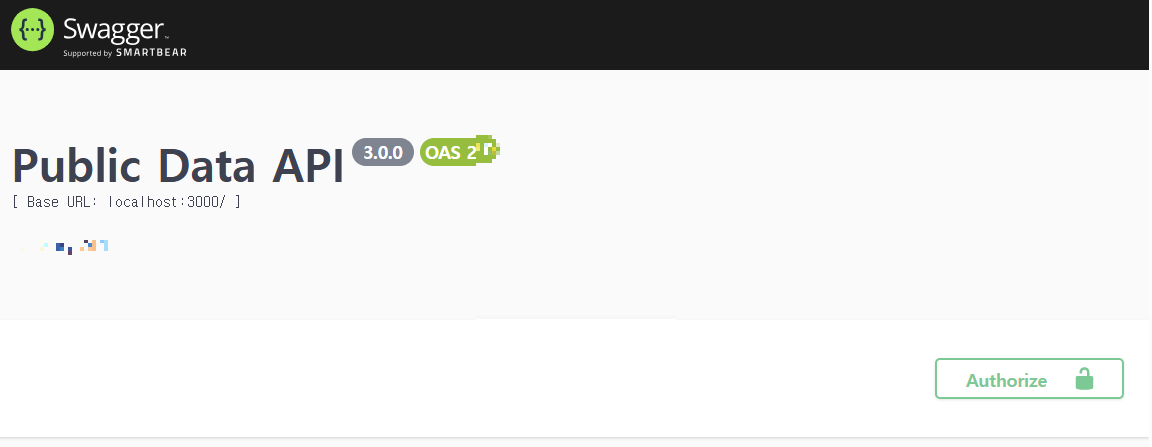
이렇게 swagger 접속에 성공하면, 실제 나의 db와 route폴더를 연결해서 문서화 해보자!
먼저 swagger 입력 형식에 맞게 db정의와 각각 response,method,parameter등 값을 넣어주어야 한다.
swagger 형식은 이 문서를 참고해보자! https://editor.swagger.io/?docExpansion=none
보통은 yaml 파일을 따로 만들어서, 그룹별로 만들던데, 나의 경우는 파일이 많아지는 것이 싫어서, 기존 파일에 값을 넣을 것이다!!
1. models/diary.js - 테이블 정의가 있는 파일, 구조에 맞게 swagger를 작성한다.
하드코딩 진짜 귀찮.... 값이 어떤 구조로 들어가는지 보기 위해 예시값도 입력!
/**
 * @swagger
 * tags:
 *   name: Diary
 *   description: 일기 관리
 * definitions:
 *   Diary:
 *     type: "object"
 *     required:
 *       - diary_id
 *       - user_id
 *       - board_id
 *       - diary_title
 *       - diary_content
 *       - access_level
 *       - view_count
 *       - like_count
 *     properties:
 *       diary_id:
 *         type: "integer"
 *         format: "int64"
 *         description: diary ID
 *       user_id:
 *         type: "integer"
 *         format: "int64"
 *         description: user ID
 *       board_id:
 *         type: "integer"
 *         format: "int64"
 *         description: board ID
 *       diary_title:
 *         type: "string"
 *         maxLength: 255
 *         description: 일기 제목
 *       diary_content:
 *         type: "string"
 *         description: 일기 내용
 *       access_level:
 *         type: "integer"
 *         description: "공개 범위
 *       view_count:
 *         type: "integer"
 *         format: "int64"
 *         description: 조회수
 *         default: 0
 *       like_count:
 *         type: "integer"
 *         format: "int64"
 *         description: 좋아요 수
 *         default: 0
 *       post_photo:
 *         type: "string"
 *         maxLength: 255
 *         description: 일기 사진 URL
 *       diary_emotion:
 *         type: "string"
 *         maxLength: 255
 *         description: 일기 감정
 *       cate_num:
 *         type: "integer"
 *         format: "int64"
 *         description: 카테고리 번호
 *     example:
 *       diary_id: 1
 *       user_id: 1
 *       board_id: 1
 *       diary_title: "바다 여행"
 *       diary_content: "오늘은 바다에 갔다..."
 *       access_level: 0
 *       view_count: 100
 *       like_count: 20
 *       post_photo: "http://example.com/photo.jpg"
 *       diary_emotion: "행복"
 *       cate_num: 3
 */

const {Sequelize} = require("sequelize");

class Diary extends Sequelize.Model {
  static initiate(sequelize) {
    return super.init(
      {
        diary_id: {
          type: Sequelize.BIGINT,
          allowNull: false,
          primaryKey: true,
          autoIncrement: true

        },
        user_id: {
            type: Sequelize.BIGINT,
            allowNull: false,

        },
        board_id: {
            type: Sequelize.BIGINT,
            allowNull: false,

        },

                        .
                        .
                        .
                        .
1. route/diary.js - endpoint가 정의되어 있는 파일,method,response등을 작성
/**
 * @swagger
 * /diaries:
 *   get:
 *     description: 모든 다이어리 조회
 *     tags: [Diary]
 *     produces:
 *     - "application/json"
 *     parameters:
 *     - name: "body"
 *       in: "body"
 *       required: true
 *       schema:
 *         $ref: "#/definitions/Diary"
 *     responses:
 *       "200":
 *         description: "성공적으로 조회됨"
 *         content:
 *           application/json:
 *             schema:
 *               type: array
 *               items:
 *                 $ref: "#/definitions/Diary"
 *       "500":
 *         description: "서버 오류"
 *   post:
 *     description: 일기 등록
 *     tags: [Diary]
 *     produces:
 *     - "application/json"
 *     parameters:
 *     - name: "body"
 *       in: "body"
 *       required: true
 *       schema:
 *         $ref: "#/definitions/Diary"
 *     responses:
 *       "201":
 *         description: "생성됨"
 *         content:
 *           application/json:
 *             schema:
 *               $ref: '#/definitions/Diary'
 *       "400":
 *         description: "잘못된 요청"
 *       "500":
 *         description: "서버 오류"
 */


const express = require('express');
const router = express.Router();
const upload = require('../multer/multer'); // multer 설정 가져오기
const { renderDiary,renderCreateDiary, createDiary } = require('../controller/diary');
위 구조를 살펴보면,,
- @swagger:
- Swagger가 API 문서를 생성할 때 사용하는 메타데이터
- /diaries:
- API의 엔드포인트 경로
- get:
- HTTP 메소드
- description:
- API의 기능에 대한 설명
- tags:
- 태그를 사용하여 관련된 API들을 그룹화!
- 태그별로 정렬된다!!
- parameters:
- 요청 시 필요한 매개변수
- name: request body
- in: "body" - 매개변수가 request body
- required: true - 이 매개변수가 필수임을 나타낸다.
- schema: 이 부분은 request body의 구조를 정의하며, "#/definitions/Diary"로 참조
이제 다시 http://localhost:3001/api-docs 접속하면,,,,
두둥탁

요로코롬 내가 정의한 api들이 잘 있다!!
그리고 저 try it out을 해보면 아까 예시로 넣었던 값들도 잘 뜬다!!
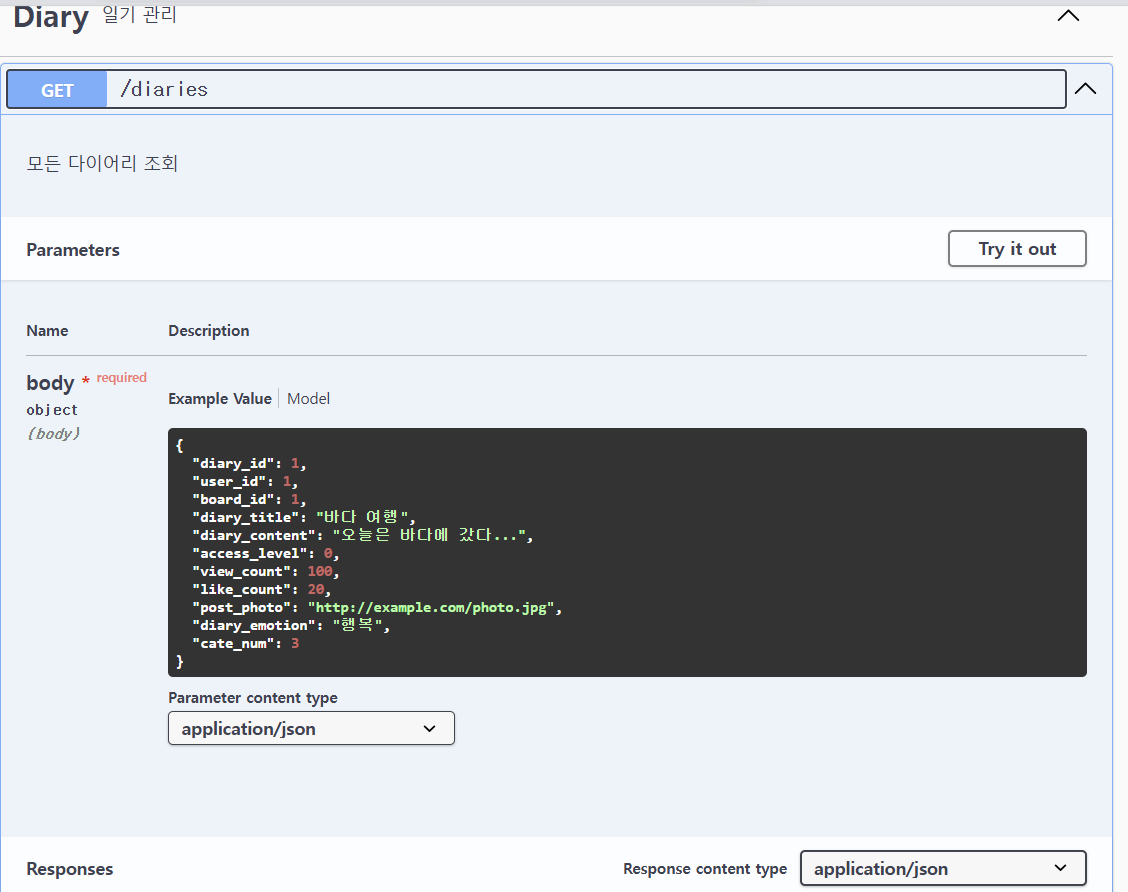
나중에 다 구현되면, 잘 정리되어 있는 swagger를 들고 와야겠다~~
'학회 활동 일지' 카테고리의 다른 글
| Express+Node.js/ 서버 배포 시 , swagger ui가 제대로 안 뜨고 html 코드로 뜨는 경우에 대해서....+webpack (2) | 2024.11.01 |
|---|---|
| AWS node.js 서버 배포 Nginx 404 Not found.....(오로지 서버만 배포 중일 경우) (0) | 2024.10.28 |
| [Node.js + React 프로젝트] US Diary 프로젝트 명세서 (0) | 2024.07.15 |
| 학회 프로젝트 시작 (0) | 2024.07.08 |
| 소학회 2기 시작 (0) | 2024.03.27 |